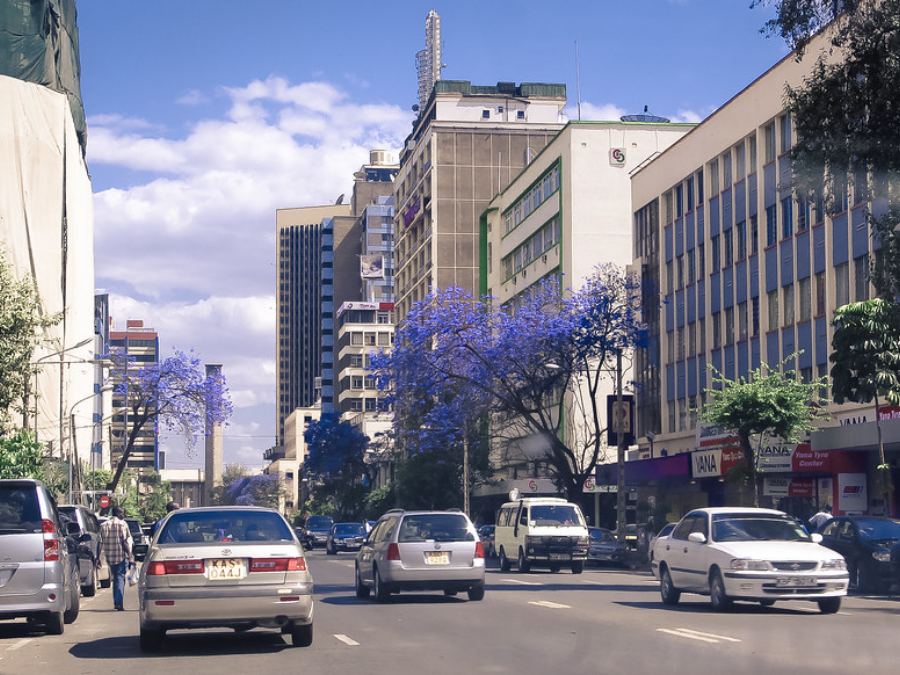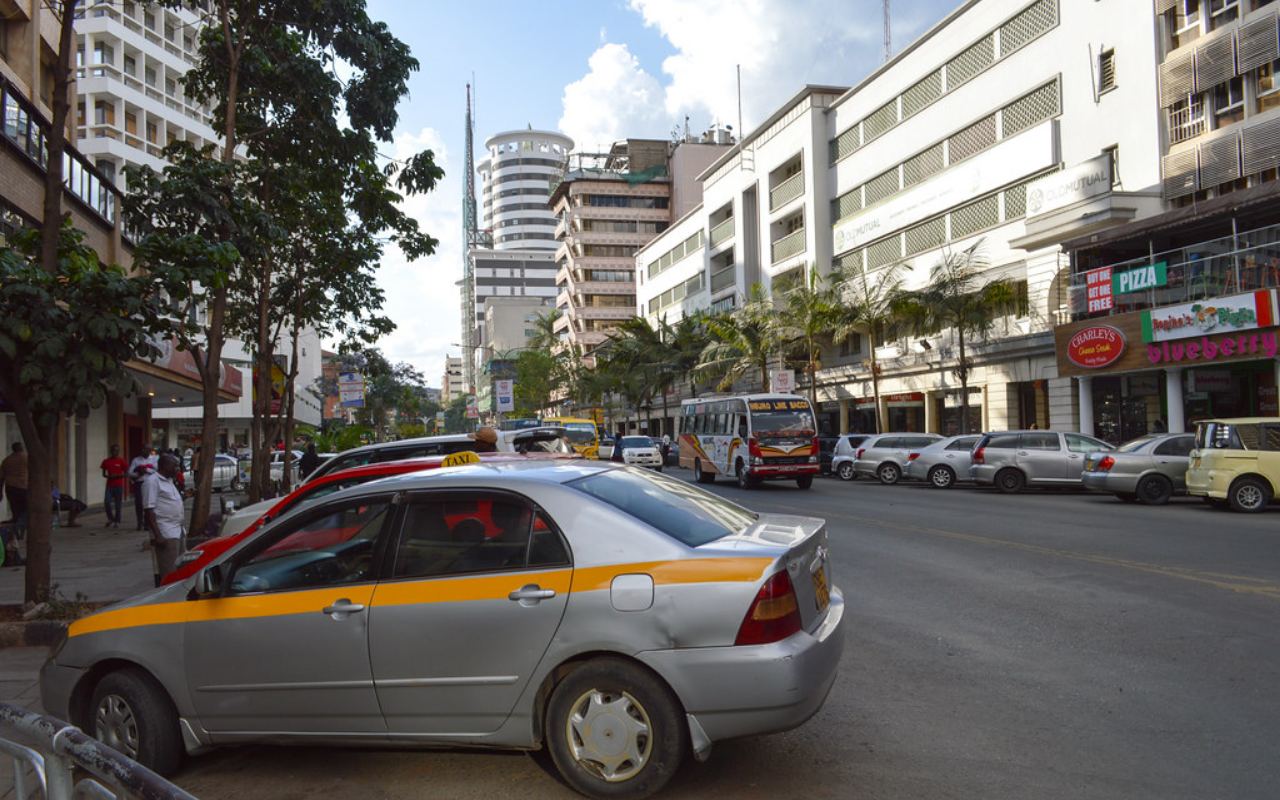
Live in Nairobi

Book a ride, anytime, anywhere.

Enter where you're going and Ollo finds a nearby driver in seconds. You see the car, the driver's rating and the fare estimate before you confirm — then pay by cash, M-Pesa, card or paybill.

1 tap
to book
24/7
rides & support
4 ways
to pay
30 days
max schedule ahead
A rider booking an Ollo cab in Nairobi Nairobi · Westlands → JKIA
OLLO TRIP#8241-KE
Where to?
Jomo Kenyatta Airport
Finding a driver…2 stops added
Driver matched
Peter M. · 4.9 ★
KDJ 774XToyota Fielder · 3 min
Read this to your driver
4702
Trip starts on entryLive link shared
Trip complete · M-Pesa
KSh 640
18.4 km · 34 minRate your driver

About Ollo

Imagine a ride, right at your doorstep.

Ollo is a ride-hailing app built to make travel around Nairobi quick, safe and hassle-free — the daily commute, the airport transfer, the late night home, or a day spent exploring the city.

  • Instant or scheduled. Ride now, or book from 30 minutes up to 30 days ahead.
  • Real-time tracking. Follow the car on the map and share a live trip link with family.
  • Transparent fares. The estimate appears before you confirm, not after you arrive.
  • Multi-stop routes. Add stops, reorder them, or change the destination mid-trip.
See how it works
Ollo app screens showing booking and trip tracking

For riders

Four stops between here and there.

Every Ollo ride follows the same sequence, so there are no surprises at any point on it.

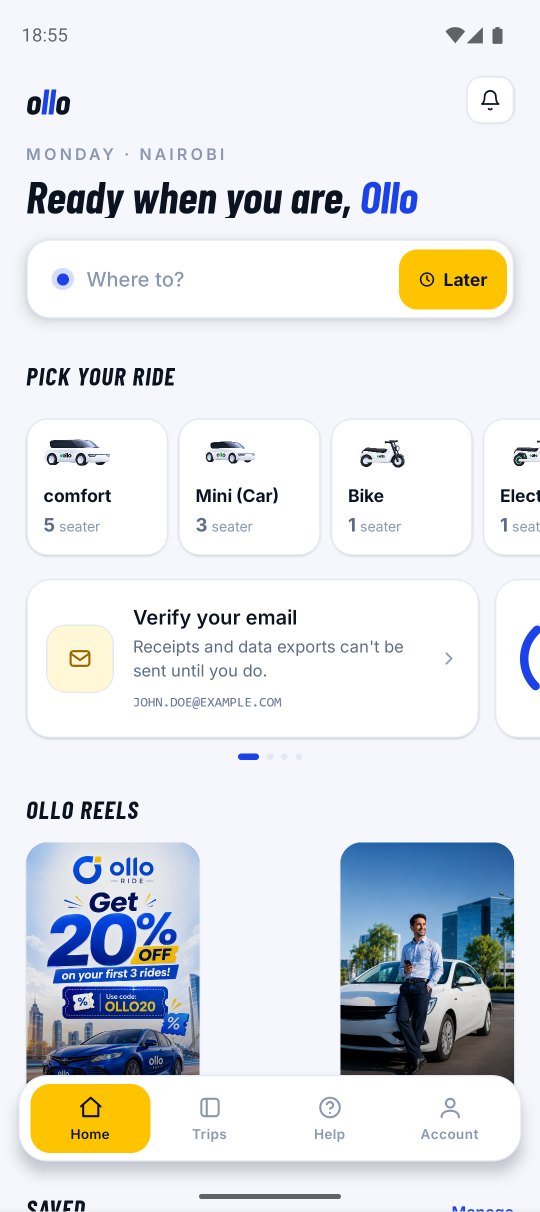
The Ollo rider app on a phone
1

Set your destination

Tap “Where to go?” — your pickup defaults to your current location. Add extra stops with “+” and drag to reorder them; the fare covers all stops in order.

2

Choose your car and confirm

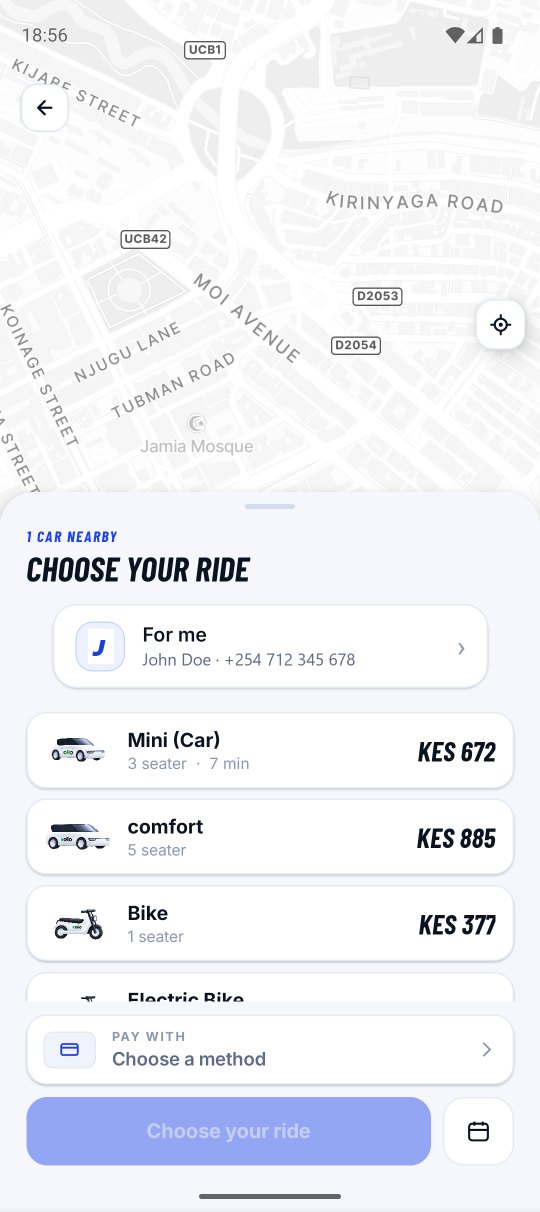
Each car type shows its estimated fare and how long it takes to reach you. Once a driver accepts, you see their name, rating, car and number plate.

3

Give the 4-digit pickup code

Read it to the driver when you get in. The trip cannot start until they enter it — so you never board the wrong car, and no driver can start a trip you're not in.

4

Pay and rate

Settle by cash, M-Pesa, card or I&M paybill, then rate your driver. Your feedback is reviewed by the Ollo team.

In the app

Everything a trip needs, nothing it doesn't.

Seamless booking

Automatic location detection fills in your pickup — book a reliable ride in a few taps.

Secure OTP login

Sign in with a one-time password sent to your phone. No password to lose or share.

Scheduled rides

Plan airport runs and meetings ahead. Confirm the reminder and Ollo starts finding a driver.

Live tracking & sharing

Watch the driver arrive, and send a live link family can open without installing the app.

SOS safety alerts

One tap sends your location, driver and trip details to the safety team and your contacts.

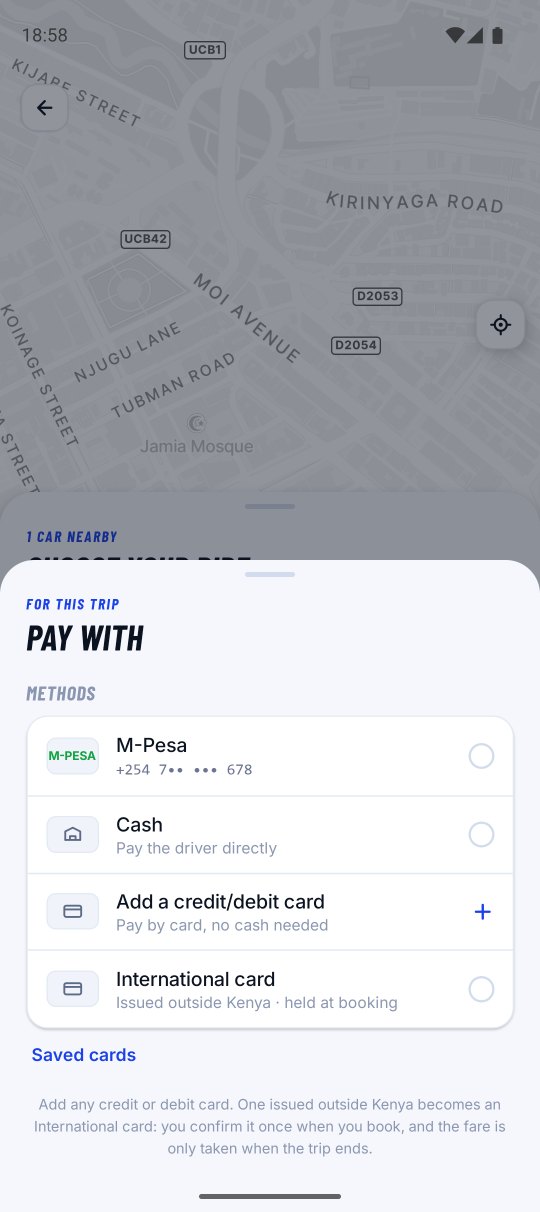
Cash or cashless

M-Pesa, card and paybill alongside cash — change your method any time before the trip ends.

Ratings & feedback

Rate every trip. Scores keep service quality high and drivers accountable.

Instant notifications

Ride confirmations, driver details and pickup reminders in real time.

Payments & fares

Pay the way Nairobi pays.

Choose your method while confirming the booking — and change it any time before the trip ends.

01 · Cash

Pay the driver

Hand over the fare directly at the end of the trip. Nothing to set up.

02 · M-Pesa

Send to the driver

Pay straight to the driver's number when you arrive — the app shows it on screen.

03 · Card

In-app payment

Debit or credit card, processed in the app through our payment partner.

04 · I&M Bank

Ollo paybill

Pay to the paybill shown on screen, using your ride ID as the account number.

How your fare is worked out

The fare is based on the car type you pick, plus the distance and the expected time of the route through all of your stops. The number shown before you confirm is an estimate for that exact route.

  • Adding a stop mid-trip recalculates the fare for the new route.
  • Replacing your destination mid-trip needs the driver's approval first.
  • A significant diversion can move the final price away from the estimate.
The Ollo app open on a phone showing a trip Fare estimate before you confirm

Safety

The trip can't start until you say so.

Ollo builds safety into the ride itself rather than bolting it on afterwards. Every trip is verified, trackable and shareable.

An Ollo driver picking up a rider in Nairobi Every driver is vetted before going online
Before you board, check that the number plate, the car and the driver match what the app shows.
  • 4-digit pickup code

    The driver types it in to begin. No code, no trip — and no driver can start one you're not actually in.

  • Live trip sharing

    Send a WhatsApp or SMS link. Family follow your car on a map without needing the app.

  • SOS to a real team

    One tap alerts Ollo safety with your live location, driver and trip details, and notifies the emergency contacts saved under Account.

  • Documented drivers

    National ID, driving licence, PSV badge, certificate of good conduct and full vehicle papers — checked, dated and kept current.

  • Support around the clock

    Raise a ticket from the app with a photo attached. Replies land in your inbox, 24/7.

At a glance

Service area
Nairobi and the surrounding areas. Searches far outside it may return no available cars.
Availability
Rides and support, 24 hours a day, 7 days a week.
Scheduling window
From 30 minutes and up to 30 days in advance, under Trips → Upcoming.
Payment methods
Cash · M-Pesa · Card (in app) · I&M Bank paybill with your ride ID as the account number.
Trip verification
A 4-digit pickup code, entered by the driver, on every single trip.
Platforms
Android on Google Play — rider and driver apps. iOS coming soon.
Support
Support → Create New Ticket in the app, or support@tryollo.com.

For drivers

You collect the whole fare. Every trip.

Ollo never holds your money. Riders pay you directly at the end of every trip, and you settle an 18% commission separately every two days. Rider discounts are paid by Ollo — a discounted trip leaves you with the same amount as a full-price one.

An Ollo driver at the wheel Go online when it suits you

Earnings check

What a week on Ollo pays

You collect
Commission 18%
Kept after commission

Illustration only — real earnings depend on demand, hours and route. Commission builds as you drive and is due every 2 days; if it goes unpaid past that you're blocked from going online until you clear it, and paying restores access immediately.

Getting on the road

1

Register and verify

Sign up with your phone number and confirm the OTP sent to it.

2

Add your details and vehicle

Personal details, a selfie, then your car — make, model, colour, plate and photos.

3

Upload documents

Each one with its expiry date. Blurred or cropped copies are the most common reason for rejection.

4

Get approved and go online

The Ollo team reviews your file and notifies you the moment you're cleared to drive.

Documents to have ready

  • 01 National ID
  • 02 Driving licence
  • 03 PSV badge
  • 04 Good conduct certificate
  • 05 KRA PIN certificate
  • 06 Profile photo
  • 07 Vehicle insurance
  • 08 Inspection certificate
  • 09 Logbook
  • 10 PSV permit
  • 11 Road service licence
  • 12 Vehicle photos
Renew early. Approval isn't instant, and a document that lapses stops you going online — which costs you working days.
Register to drive

Ollo Boda

Two wheels through the traffic.

When the road is stationary, a boda isn't. Same app, same pickup code, same live tracking — with a helmet handed to you at every pickup.

Helmet for every rider

Drivers carry a spare, sanitised between trips. No helmet, no trip.

Same 4-digit code

Verified pickups on two wheels exactly as on four.

Beat the jam

Short cross-town hops priced for the daily commute.

Gear that's visible

Reflective vest and numbered helmet — you can spot your rider from down the street.

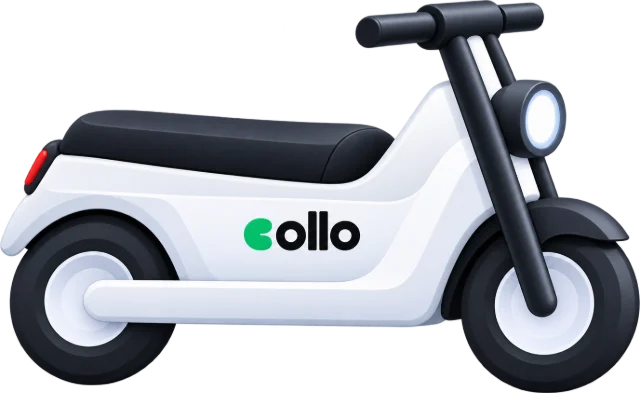
Ollo 204 Ollo

The boda kit

Numbered helmet, reflective Ollo jacket and a branded top box — issued to every boda partner.

On the road

How you'll recognise an Ollo.

Vehicle and rider branding, drawn to spec. Every piece uses the same mark: the Ollo wordmark with the blue pickup dot, on Ollo Blue or Marigold.

Ollo TRYOLLO.COM

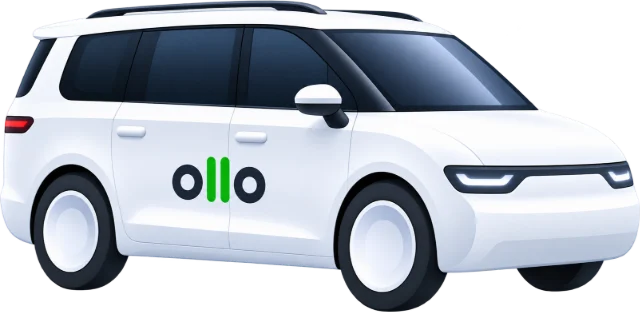
Front door decal

Both front doors, aligned to the handle line. Marigold underline reads as a route.

420 × 100 mm · reflective vinyl

Ollo KDJ 774X RATE THIS TRIP

Windscreen sticker

Bottom-left inside the glass. Plate on marigold, scan code for rating and support.

150 × 75 mm · static cling

Ollo 204

Boda helmet

Rider ID numbered on the marigold band so passengers can match it to the app.

Both sides · reflective band

Ollo

Reflective vest

Worn over anything. Chest panel in Ollo Blue, twin reflective bands front and back.

EN ISO 20471 class 2

Ollo

Boda top box

Rear-facing panel is the highest-visibility surface on the bike — biggest wordmark of the set.

Rear + both flanks

Ollo PSV 0204

Driver ID card

Worn or dash-mounted. Photo, name and PSV number matching the app profile.

86 × 54 mm · both services

Coverage

Nairobi, and everything around it.

Ollo currently serves Nairobi and the surrounding areas — the CBD, Westlands, Kilimani, Karen, Ruaka, Thika Road, Mombasa Road and the airport run to JKIA. If you search for somewhere far outside the service area you may see no cars, which means we haven't launched there yet.

  • Airport transfers. Schedule ahead so the car is waiting when you land or leave.
  • Peak-hour demand. Drivers use an in-app heat map to sit where riders are booking.
  • New areas. We expand as driver supply grows — watch the app for launches.
WESTLANDSCBD KARENJKIARUARAKA Service area · Nairobi

Questions

Asked most often.

What is the pickup code?

A 4-digit code shown on your ride screen once a driver is on the way. Read it out when you get in — the trip cannot start until they enter it. It exists so you never board the wrong car and no driver can start a trip you aren't in.

Can I add stops or change my destination mid-trip?

Yes to both. Add stops with “+” before you confirm and drag to reorder — the fare and route cover all stops in order. During the trip you can add a stop, insert one before your destination, or replace the destination entirely; the driver approves the change and the fare recalculates for the new route.

How do I schedule a ride for later?

Tap “Schedule” next to “Now”, enter the destination, pick the date and time, choose a car type and confirm. It appears under Trips → Upcoming. Shortly before pickup you'll get a notification asking you to confirm — confirm it and Ollo starts looking for a driver. You can book from 30 minutes to 30 days ahead.

How is my fare calculated?

By the car type you pick, plus the distance and expected time of the route through all your stops. The figure shown before you confirm is an estimate for that route, and can change if you add stops, change the destination mid-trip, or the route diverts significantly.

How can I pay for my ride?
  1. Cash — directly to the driver at the end of the trip.
  2. M-Pesa — to the driver's number.
  3. Card — in the app through our payment partner.
  4. I&M Bank — to the Ollo paybill shown on screen, with your ride ID as the account number.
How does Ollo keep me safe?

Every trip is verified with a pickup code and followable live on the map. The SOS button alerts the Ollo safety team with your location, driver and trip details, and notifies the contacts saved under Account → Emergency Contact. You can also share a live trip link by WhatsApp or SMS.

Where does Ollo operate?

Nairobi and the surrounding areas. If a search returns no results or no available cars, that area hasn't launched yet.

How do I contact support?

Open Support from the menu, then “Create New Ticket”. Pick the ride and the topic, describe the issue and attach a photo if it helps. Replies land in your Inbox and you're notified when the team answers — 24/7. Or email support@tryollo.com.

Get moving

Two apps. One Nairobi.

Ride with Ollo, or drive and earn on your own schedule. Both apps are on Google Play — iOS is on the way.

SUPPORT@TRYOLLO.COM · +44 744 139 6306

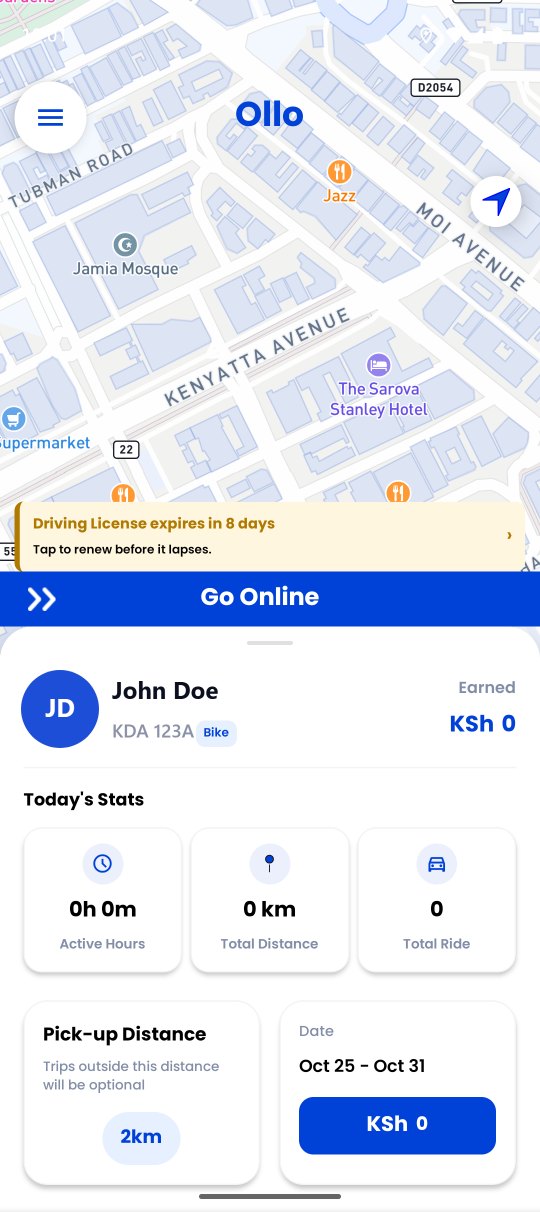
The Ollo driver app on a phone