 Ollo
OlloHome / Drive
Drive with Ollo
Use your own car or bike, go online whenever it suits you, and keep at least 82% of every fare.
Earnings
Keep at least 82% of every fare
Ollo's commission is never more than 18% of the fare. It is set per vehicle type, some types pay less, and it is always rounded down in your favour. The app shows your exact rate.
- See the pickup, the destination and what you will earn on every request before you accept
- Rider discounts are paid by Ollo — a discounted trip pays you the same as a full-price one
- Waiting time and traffic delay charges are added to the fare you earn on
- No shifts — go online and offline when you choose
- New drivers: a KSh 300 welcome bonus for the first 2,000 drivers approved, shown in your Wallet
Work out your week
Enter your own numbers. These are not Ollo averages.
Worked out at the 18% maximum, before your own costs such as fuel. If your vehicle type has a lower rate, you keep more.
Getting paid
How the money reaches you
Cash rides
The rider pays you the whole fare at the end of the trip. Ollo's commission on cash rides adds up in the app, and you pay it from the platform fee screen with an M-Pesa prompt.
M-Pesa, card & Apple Pay rides
Ollo collects the fare, keeps the commission and pays your share out to you. Find it under Menu → Wallet: card-ride earnings cash out to M-Pesa or bank, and M-Pesa-ride earnings are sent once Ollo approves.
Referral earnings
Share your code from Refer & Earn. When a rider joins with it, you earn a share of the fares of the trips they take for a set period. Inviting other drivers doesn't earn a reward.
When unpaid commission on your cash rides reaches KSh 400, cash ride requests pause until you pay it. M-Pesa and card rides keep coming, and the commission is taken from those. Payouts can't be requested while commission is outstanding.
Requirements
What you need to drive
You
- 18 or older
- A Kenyan or international driving licence
- A PSV badge, certificate of good conduct and KRA PIN
- A smartphone — Android or iPhone
Your vehicle
- PSV insurance that is running
- An NTSA inspection certificate
- The logbook — if it isn't in your name, the owner's logbook and their written consent
- A front and a side photo of the vehicle
Which ride option you drive
- Mini (Car) — cars with 3, 4 or 6 passenger seats
- Comfort — 4 passenger seats and an engine of 1,500 cc or more (read from your logbook), plus car photos approved by Ollo
- OLLO XL — 6 passenger seats
- Bike / Electric Bike — for boda riders
Documents
Documents to have ready
Upload a clear, complete photo of each one. Blurred or cropped copies are the most common reason for rejection.
A clear picture of the front of your National ID. A passport or alien ID works too.
A Kenyan or international driving licence — the smart DL and the digital DL are both accepted.
Expiry date · stops you going online when expiredEvery commercial driver needs a PSV licence, renewed yearly. Apply through NTSA on eCitizen.
Expiry date neededIssued by the DCI. Have your fingerprints taken at a Huduma Centre or DCI office.
Expiry date neededFrom iTax: Registration → Reprint PIN Certificate. The name must match your ID and the status must be Active.
A clear photo of your face looking at the camera — no hats, sunglasses or masks. Riders use it to recognise you.
A valid PSV insurance certificate for this vehicle, still running on the day you upload it.
Expiry date · stops you going online when expiredThe NTSA inspection certificate for this vehicle, from an authorised inspection centre.
Expiry date · stops you going online when expiredThe vehicle's certificate of registration. Not in your name? Upload the owner's logbook and their written consent.
In daylight, the whole vehicle in the picture, the number plate readable in the front photo, and no people in the shot.
Renew early. The app warns you before a document expires, and approval isn't instant — an expired licence, insurance or inspection certificate stops you going online until the renewal is approved.
Sign-up steps
From sign-up to your first trip
- Register with your phoneDownload Ollo Driver and confirm the one-time code sent to your number.
- Add your details and a selfieYour personal details and the selfie the app asks for.
- Add your vehicleMake, model, colour, number plate, passenger seats and photos.
- Upload your documentsWith the expiry date on each one that has one.
- Get approvedThe Ollo team reviews your file and you're notified as soon as you're cleared to go online.

On the road
What a day on Ollo looks like
Daily selfie, then go online
Take a quick selfie once a day so we know the approved driver is behind the wheel, then swipe “Go Online”. The team checks it against your profile photo.
Find the busy areas
The demand heat map shows where riders are booking. Morning and evening peaks are the busiest.
Pick up with the code
Ask for the rider's 4-digit pickup code and enter it to start. Never start a trip without it — it proves the right rider is in your car.
Your waybill
Every trip has a digital waybill in the app with the trip, driver, vehicle and insurance details. Show it when a rider or an officer asks.
Help on long stops
If a trip stops moving for a long time, the app asks whether you're OK. Answer “I need help” and the Ollo safety team is alerted.
Keep the app running
Set location to “Allow all the time” and turn battery optimisation off for Ollo, or Android can stop the app in the background.
Read the driver safety guidelines, driver terms and driver privacy policy.
In the app
The Ollo Driver app
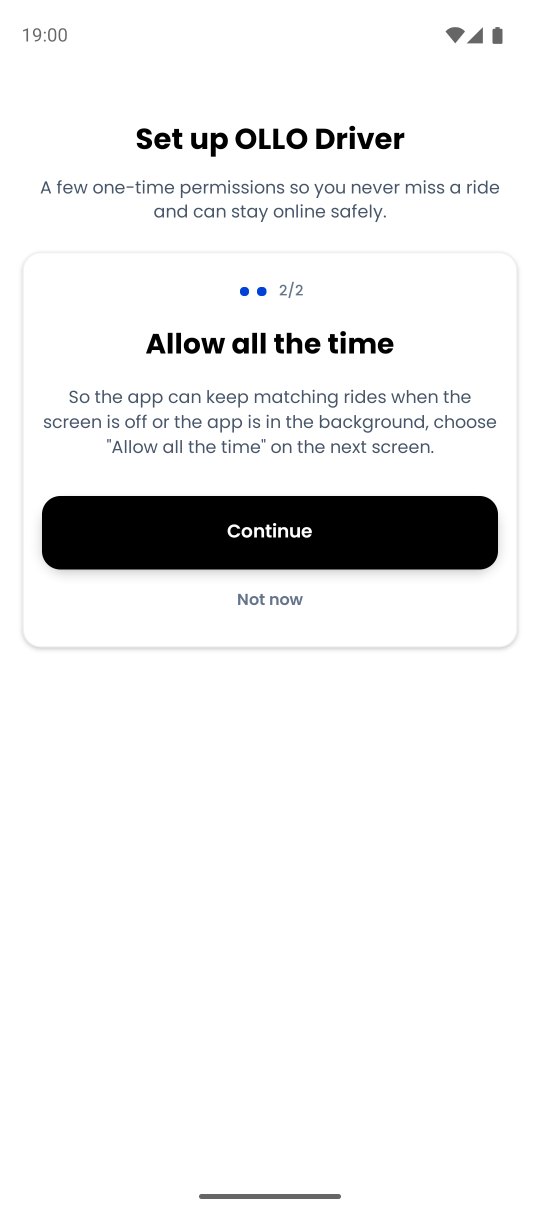
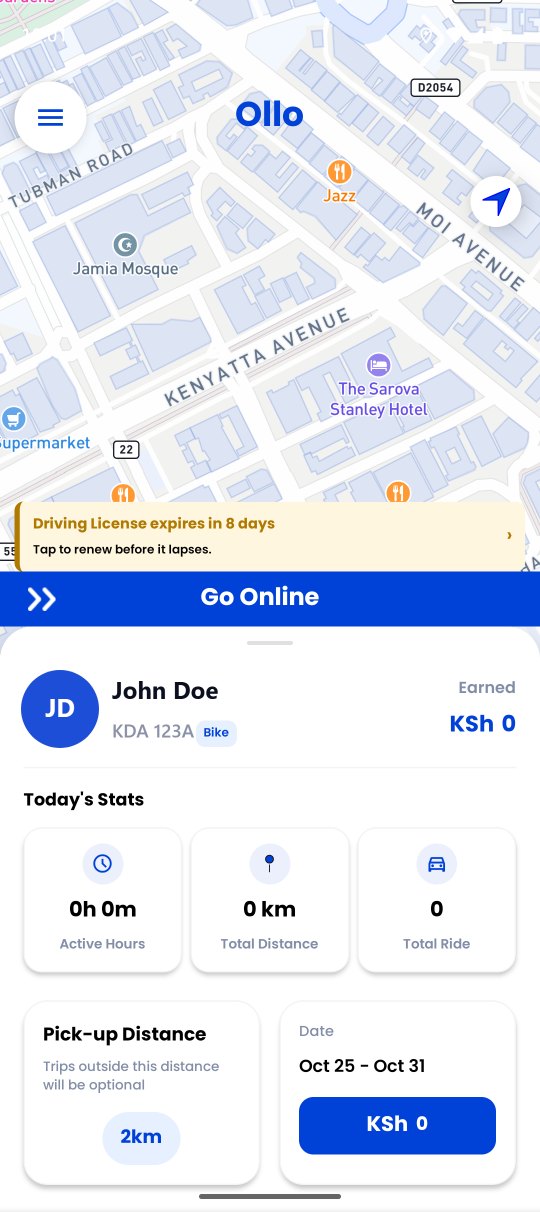
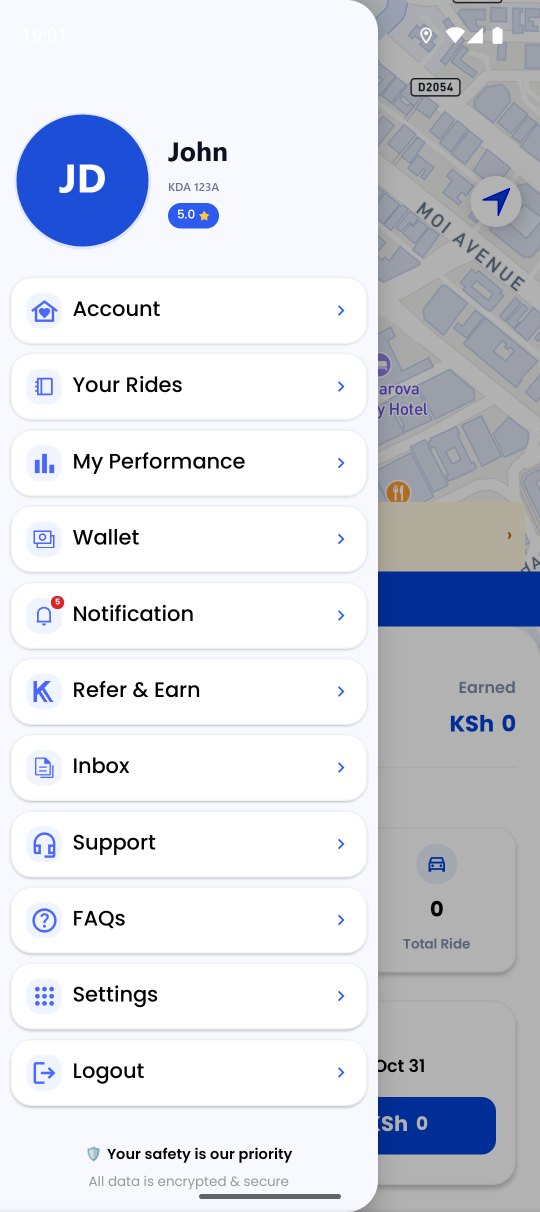
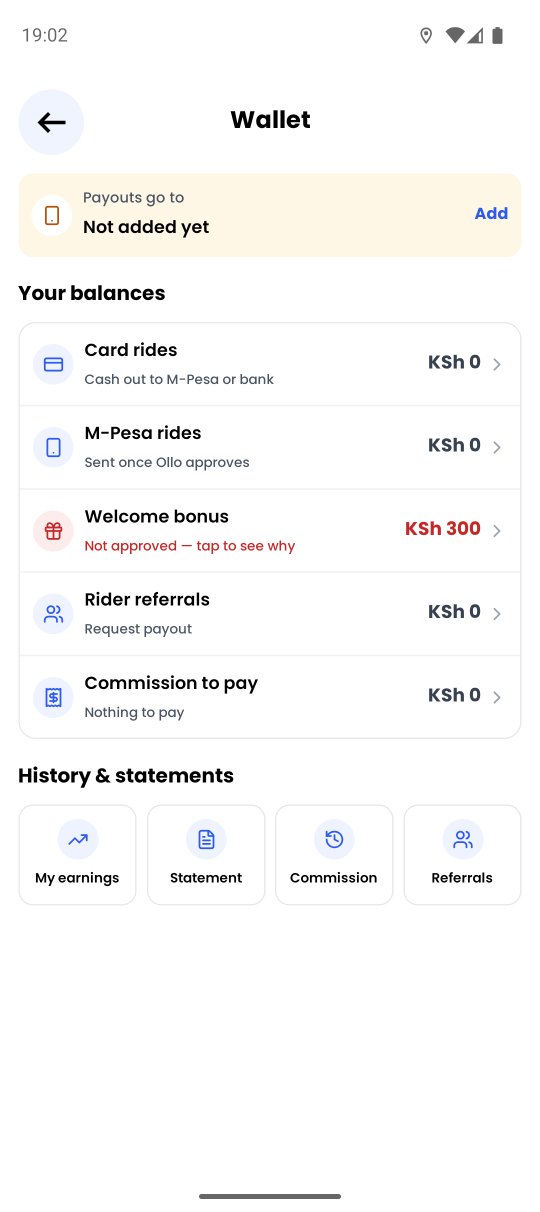
Real screens from the Ollo Driver app. The driver name and number plate are samples.

Ollo Driver
Scan to download, or pick your store.